01 / GET THE APP
Start in Discord.
Join the community and use /purchase to choose your plan. Once access is granted, use /download in the customer area. Run the standalone Windows EXE and sign in with the same Discord account you purchased with.
Need another download later? Use the customer command again for a fresh private link.
02 / CHOOSE YOUR ROUTE
Fast start or drawn spray.
Simple values
Choose your settings and get a starter list. Select a weapon and optic, enter the numbers in your Zen and test. Report the pull direction to try a small adjustment.
Tune values
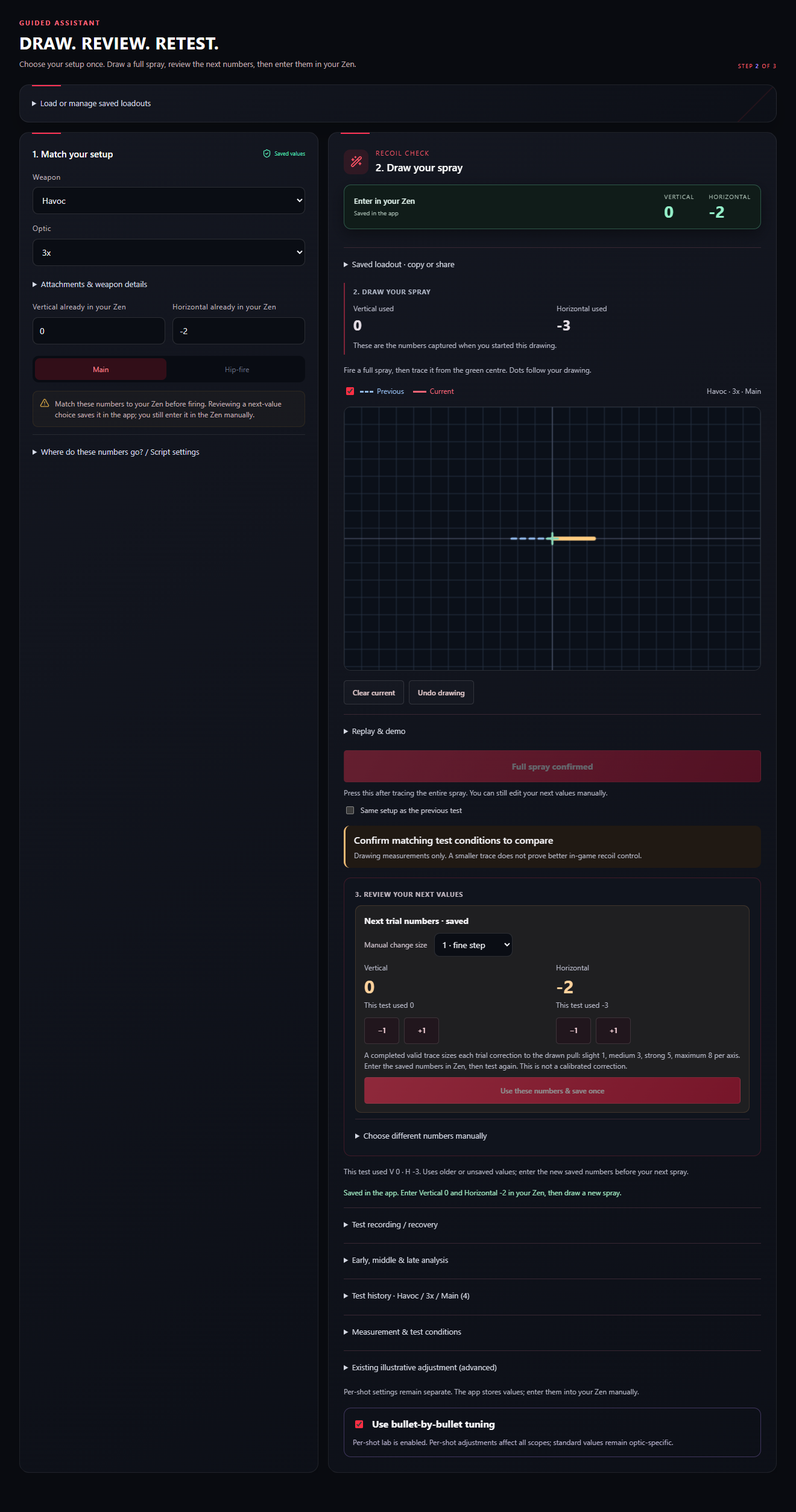
Match the values already in your Zen. Draw the full spray from the centre and confirm it. Valid traces produce trial next numbers for retesting.
Starters are examples. Drawing-based adjustments are trial estimates. Neither guarantees a perfect spray.
03 / MATCH YOUR SETUP
Make the test useful.
Match the weapon, optic, sensitivity, curve, deadzone and script settings you actually use. Keep your test conditions consistent. Main values, hip-fire values and per-shot modifiers are separate.
Check your script’s vertical and horizontal direction convention. Use the app’s direction settings if the script applies an axis in reverse. Enter signed values exactly, including any minus sign.
04 / TEST & ADJUST
Follow the numbers.
- Enter the shown starting numbers in your Zen.
- Fire one full spray under consistent conditions.
- Trace the spray, or report the direction in Simple values.
- Review the next values and check that the app saved them successfully.
- Enter those new numbers in your Zen, then repeat the test.
The app saves its own loadout values. It cannot change your Zen for you. A drawing comparison describes the drawn traces; use in-game tests to judge recoil control.
See a real app screen +
05 / GET HELP
Keep the guide close.
Eligible customers can get the full PDF guide from the customer area in Discord. For support, include your app version, settings, weapon and optic, and explain what the spray did.
Open Discord ↗